Case study
SMS Flow: a product born from a client’s need.
It did not start as a startup idea. A client wanted people to be able to reply to their SMS, and we realised we could build that ourselves. Today SMS Flow turns an Android phone into an SMS gateway: you send from your own number and get the replies in your own platform.
- Type
- Our own product
- Since
- 2025
- Platforms
- Web, Android, API
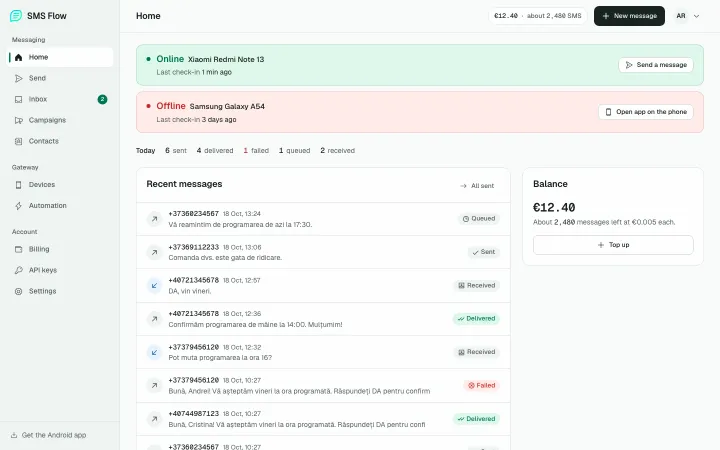
What has gone through SMS Flow so far
- messages sent and received
- 25,481messages sent and received
- messages sent from users’ phones
- 18,963messages sent from users’ phones
- messages received and forwarded to a webhook
- 6,368messages received and forwarded to a webhook
- phones connected
- 37phones connected
How it came about
None of SMS Flow was planned. Every part came from a real problem, ours or a client’s.
2025
Createrra wants to send SMS
We were building the Createrra CRM and they needed to send SMS. We connected an external SMS service and it worked, until they wanted more.
- Createrra
2025
“What if people reply?”
Createrra wanted people to be able to reply, with a YES to an invitation or an appointment, and to see that reply in the CRM. The big SMS services give you an API to send, but replies never reach your platform. So we thought: we build platforms, we build mobile apps, why not build this ourselves? That is how SMS Flow started.
- smsflow.app
2026
Spa Therapy drops its external provider
Spa Therapy sent its SMS through an external provider. When the account ran out of credit, there was no warning: messages simply stopped going out, and customers complained they were not getting them. We moved everything to SMS Flow, and SMS became a simple conversation with each customer inside the CRM.
- Spa Therapy
- CRM
2026
On Google Play, in two versions
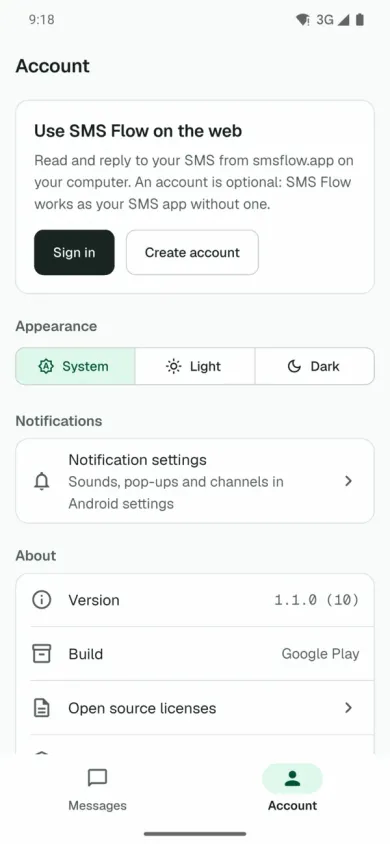
One version on Google Play, for reading and sending your SMS from a browser, and the Full version, with the API, campaigns and webhooks, installed from smsflow.app.
- Google Play
- SMS Flow Full
2026
A new design and what users ask for
In the autumn we redesigned the website, the dashboard and the app. New features come from what users ask for, like importing contacts from a CSV file.
From the number customers already know
The SMS goes out from the business’s own phone and number, through its own mobile plan. Customers see a number they recognise and can reply, like to any other SMS.
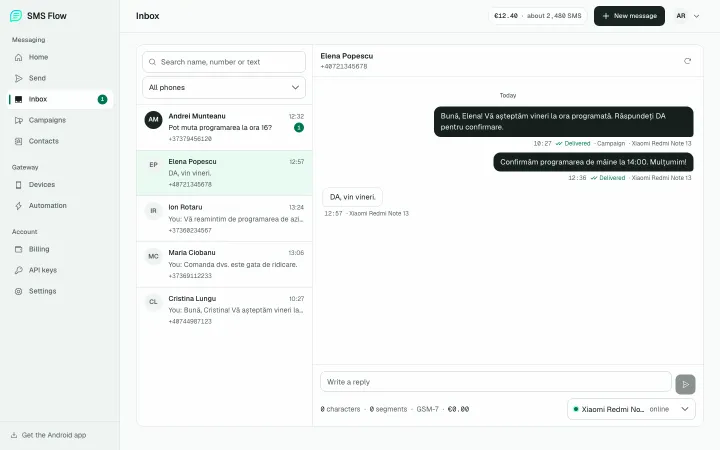
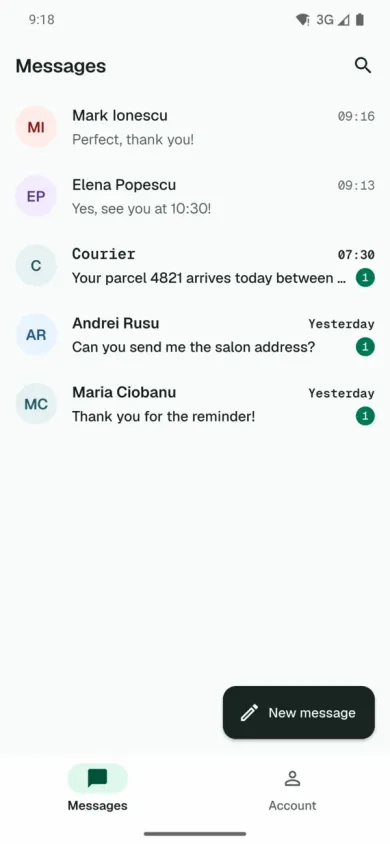
Replies show up in the dashboard as a conversation with each person, not as a list of notifications. And honestly, who still checks SMS on their phone in 2026?
- One conversation per number, with the full history
- Reply from the browser, through the phone you choose
- SMS count and price shown before you send
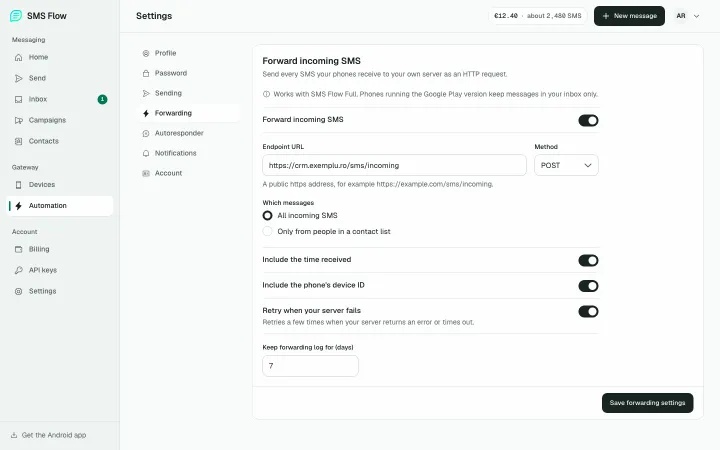
Replies land in your own platform
This is what the big services were missing: they give you an API to send, but not to receive. SMS Flow forwards every incoming SMS to your server as an HTTP request, so replies go straight into your CRM or app.
So far, 6,368 incoming messages have reached users’ systems this way.
- All incoming SMS, or only those from contacts in a list
- Retries on its own if your server does not answer
- The status of every sent message comes by webhook too
Spa Therapy: SMS that always go out
At Spa Therapy, SMS keep the appointments on track. Every client gets a reminder 24 hours and another 3 hours before the session. Anyone who orders from the shop gets the delivery details, with a tracking link on the Spa Therapy website. And students get reminders before their course, when needed.
When someone cancels or has a question, the reply shows up in the CRM, on that customer, and the team answers from there.
- Automatic reminders 24 and 3 hours before
- Delivery details, with a tracking link
- Customer replies, straight in the CRM
What SMS Flow does
You set up the phone once and forget about it. Everything else happens in the dashboard or through the API.
REST API
Send SMS from your website, CRM or app. One message or hundreds at once.
Webhooks
Incoming SMS and the status of sent ones reach your server on their own.
Campaigns
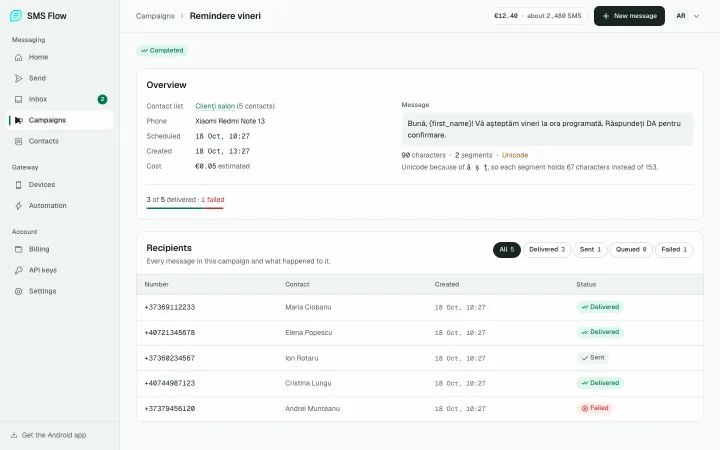
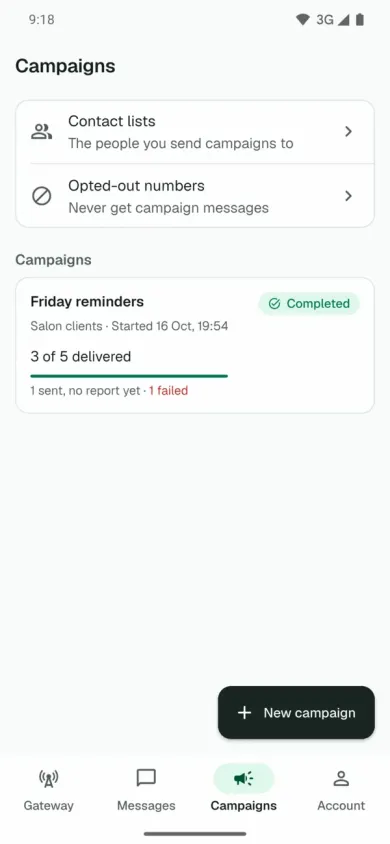
Contact lists, messages with each person’s name and a send time you choose. People who opt out stop getting them.
Auto-reply
Replies to incoming SMS on its own, for example outside opening hours.
Honest statuses
See for every message whether it is queued, sent, delivered or failed, and why it failed.
CSV import
Contacts are uploaded from a CSV file. The feature was added because a user asked for it.
A simple API for developers
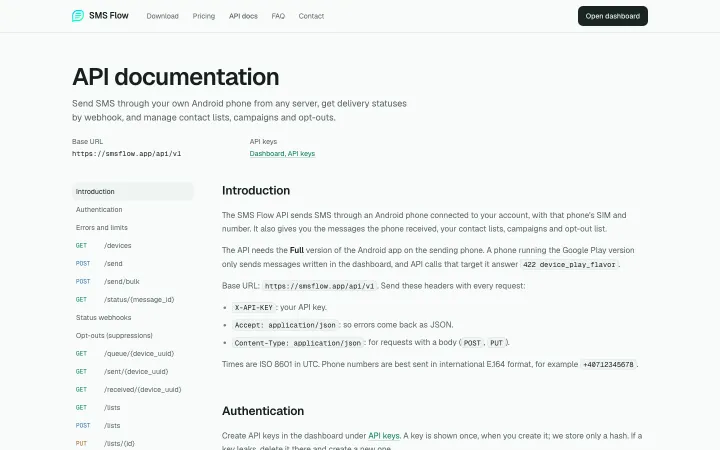
For agencies and developers, SMS Flow is a simple API: one key, one POST request, and the message goes out from the phone you chose. The documentation is public, with every route and every error.
- Single or bulk sending
- Contact lists, campaigns and opt-outs, all through the API
- Up to five API keys per account
Two Android apps, one signature
The Google Play version is a regular SMS app with web sync: you read and answer your SMS from a browser. The Full version adds the API, campaigns, webhooks and auto-reply, and is installed from smsflow.app.
Play Protect blocks installing the Full version directly. But both are signed with the same key: install the app from Google Play, then install the Full APK over it as an update, without turning Play Protect off. When it scans the app, Play Protect finds nothing wrong.
- Google Play: your SMS, read and sent from the browser
- Full: API, campaigns, webhooks and auto-reply
- Over 100 downloads on Google Play
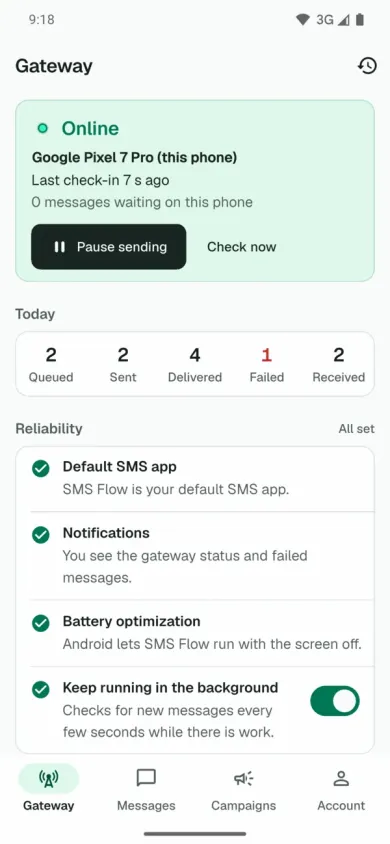
The app, on the phone
What it costs
The SMS go out through your mobile plan. If you have unlimited SMS, you only pay our fee: €0.005 per SMS, with no subscription.
- a big SMS provider, which sends the messages from its own numbers, charges from €0.04 per SMS, eight times more;
- the same kind of provider also offers sending from your own phone, at €0.004 per SMS, but only if you buy a €2,000 package;
- with SMS Flow the price is the same however much you top up, and you can top up as little as €10.
One thing to know: a long message, or one with special characters, actually goes out as 2-3 SMS. That is why the dashboard shows the SMS count and price before you send. The figures above count messages, so the real number of SMS was higher.
What comes next
Today SMS Flow has 140 accounts and 37 connected phones. We do not have a long list of planned features: we want everything that exists to work perfectly.
But every request from users is welcome. Importing contacts from CSV started exactly that way, with someone who needed it.
Have a need nothing on the market solves?
That is how SMS Flow started. Tell us what you are missing and we will tell you honestly whether it is worth building and what it would cost.